HubSpot integration
Kesru logs each call your agent takes on the right contact in HubSpot, with its summary and a link back to the call. New callers become new contacts.
What it does
After every call, Kesru looks the caller up in HubSpot by phone number and logs the call on their contact. New callers are added as contacts. Kesru fills in a missing name but never overwrites what you already have.
Connect HubSpot
In your dashboard, open CRM under Integrations. Only workspace owners and admins can connect a CRM.
Under Connection, Kesru lists every CRM it can connect. Choose HubSpot.
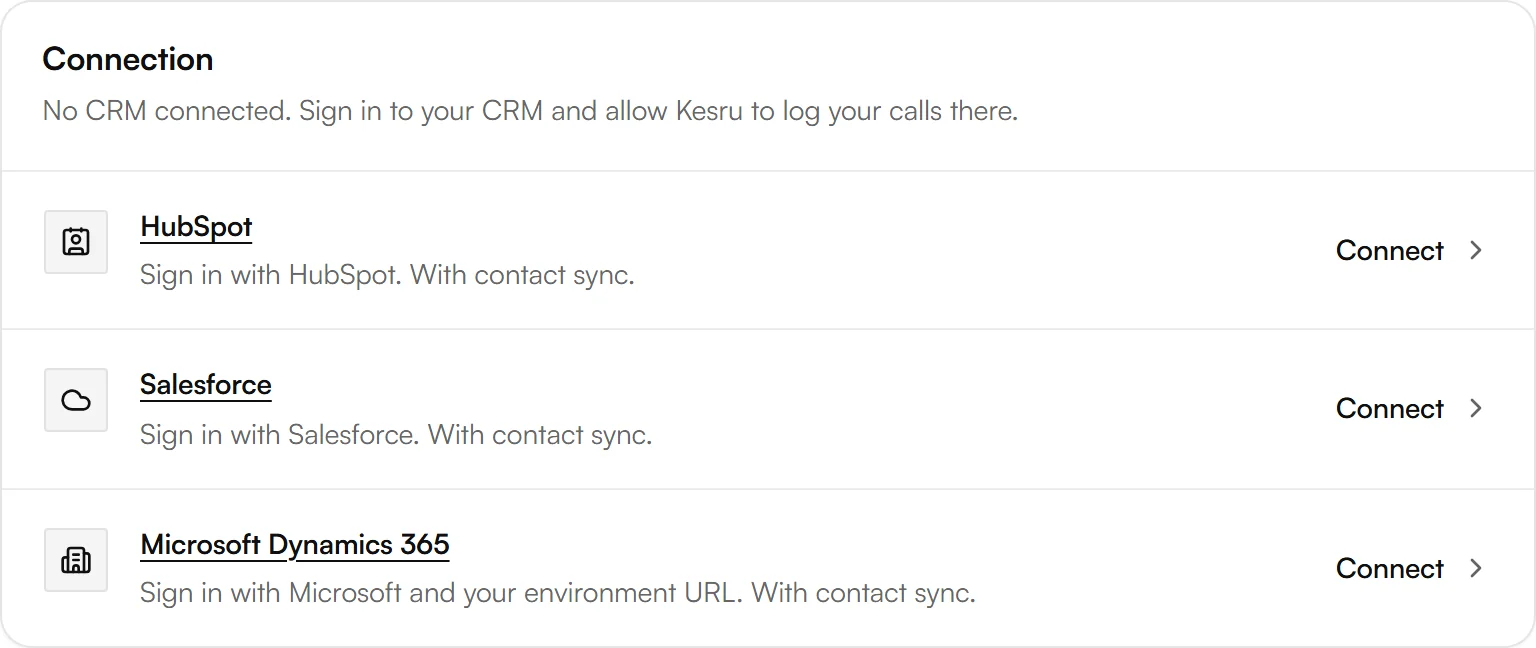
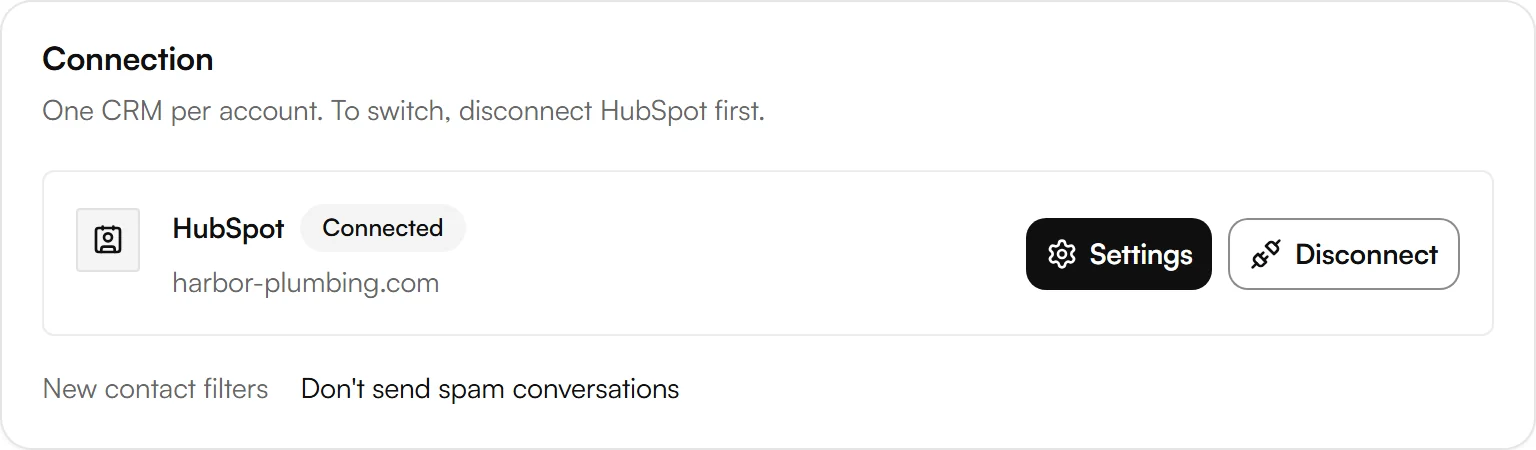
Sign in with HubSpot and allow access. Back in your dashboard, HubSpot shows as Connected.
Choose which callers become contacts
Next to HubSpot, choose Settings. Under New contact filters, pick the conversations that shouldn't create a new contact in HubSpot, then choose Save.
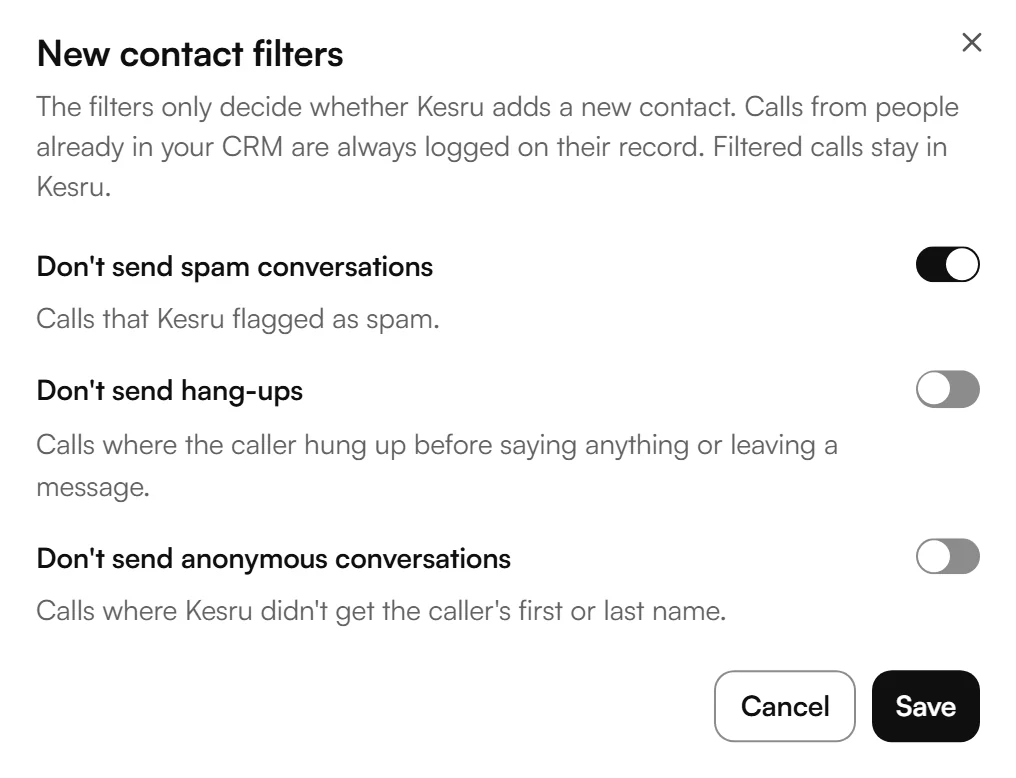
- Don't send spam conversations: calls that Kesru flagged as spam.
- Don't send hang-ups: calls where the caller hung up before saying anything or leaving a message. A call that was transferred to your team doesn't count as a hang-up.
- Don't send anonymous conversations: calls where Kesru didn't get the caller's first or last name.
The filters only decide whether Kesru adds a new contact. Calls from people already in HubSpot are always logged on their record. Filtered calls stay in Kesru.
Sync your contacts
Contact sync keeps your contacts in Kesru and HubSpot the same both ways, matched by phone number. It's off until you turn it on.
Under Contact sync, choose Set up contact sync, then turn on Contact sync. Turning it on imports all your HubSpot contacts.
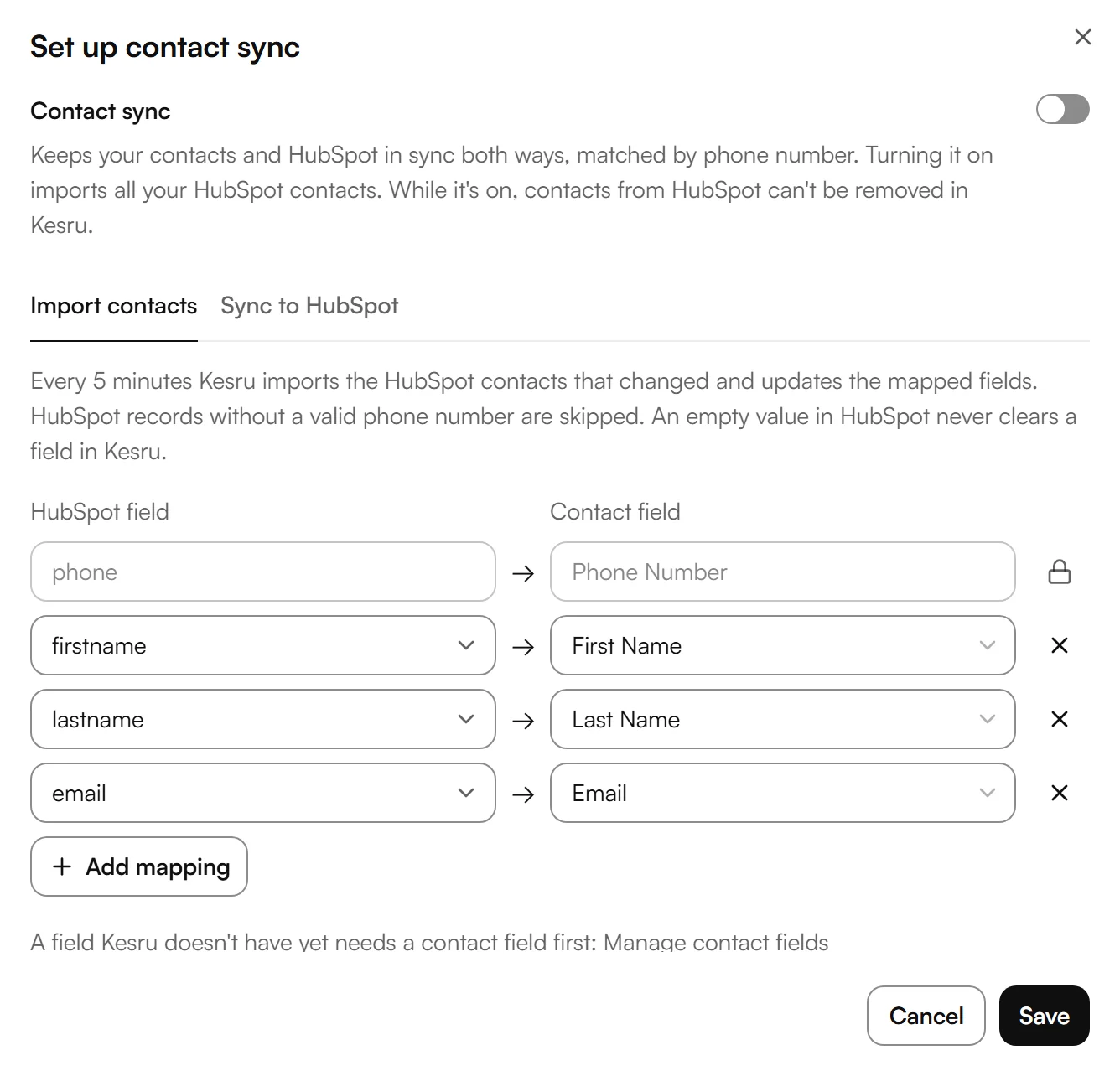
On Import contacts, choose which HubSpot field fills which contact field in Kesru. First name, last name and email are mapped to start with, and Phone Number is mapped for you and locked. Choose Add mapping for more fields.
On Sync to HubSpot, choose the fields Kesru writes back when they change in Kesru, by hand or after a call. Then choose Save.
- Every 5 minutes Kesru imports the HubSpot contacts that changed. Records without a valid phone number are skipped, and an empty value in HubSpot never clears a field in Kesru.
- Kesru only updates records it imported from HubSpot. It never deletes records there and never writes the phone number.
- While contact sync is on, contacts from HubSpot can't be removed in Kesru. Run full sync imports all your contacts again.
- A field Kesru doesn't have yet needs a contact field first, under Manage contact fields.
Example
Say a new caller asks your agent about a leaking water heater. HubSpot has no contact with that number, so Kesru adds one with the name and number from the call. On the contact you then find:
- A completed call titled Handled by Kesru, with the direction, the duration and both phone numbers.
- In the call notes, the summary of the call, a recording link if the call was recorded, and View the call in Kesru.
- Each text your agent sent in the call, a payment link for example, as an SMS communication.
- Website chats as a note titled Chat handled by Kesru.
Good to know
How calls are logged
- Kesru finds callers by phone number. Calls without caller ID aren't logged, because there's no number to search for.
- If more than one record has the caller's number, Kesru logs the call on each of them.
- Kesru fills in a missing first or last name from the call but never overwrites a name you already have. A one-word name becomes the first name.
- Outbound calls your agent makes are logged the same way as inbound calls.
- The recording link works for 30 days. View the call in Kesru always opens the call in your dashboard.
- Website chats are logged when the visitor leaves a callback number in the chat.
HubSpot shows Needs reconnecting
HubSpot no longer accepts the connection. Until you choose Reconnect and sign in again, Kesru logs nothing there.
Disconnecting HubSpot
Disconnect stops logging your calls in HubSpot. What's already in HubSpot stays. Kesru connects one CRM per workspace, so to switch, disconnect HubSpot first.
Your callers' data
How Kesru handles callers' numbers, summaries and transcripts is described in the Privacy Policy.
Related integrations
Questions about HubSpot?
Write to us at support@kesru.com, or start free and connect HubSpot in your dashboard.