Payment links for Square, PayPal and LawPay
Your agent texts callers a link to your own payment page during the call, from Square, PayPal, LawPay or a Stripe Payment Link.
What it does
Once the caller agrees to pay, your agent texts them your payment page link and tells them it is in their text messages. The caller pays there, with the provider you already use.
- You add each payment page once, with a short instruction for when your agent should send it.
- Your agent never asks for or accepts card numbers, security codes or bank details over the phone.
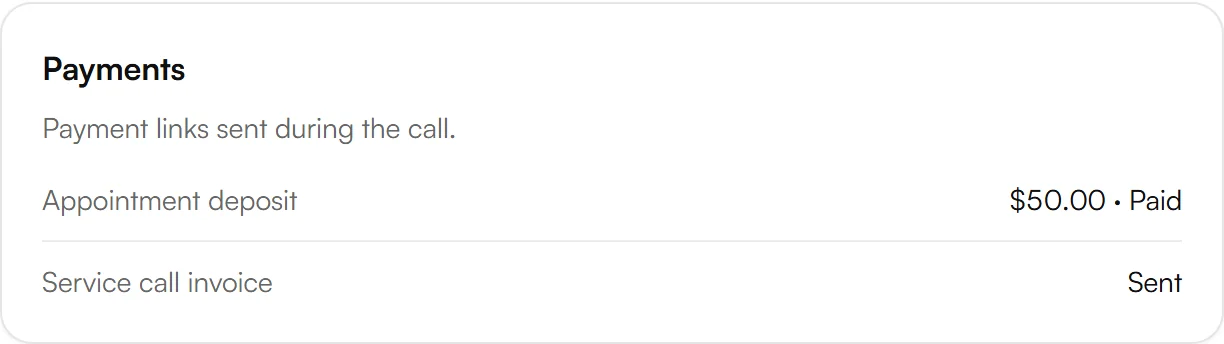
- Each call in your dashboard shows the links sent in the call.
Payment links are sent by text message, so they need the SMS add-on. If it isn't on yet, the Payments page says so and links to Billing, where you switch it on.
Add a payment link
Copy the address of your payment page from Square, PayPal, LawPay or your Stripe Payment Link.
In your Kesru dashboard, open Payments. Under Payment links, choose Add payment link.
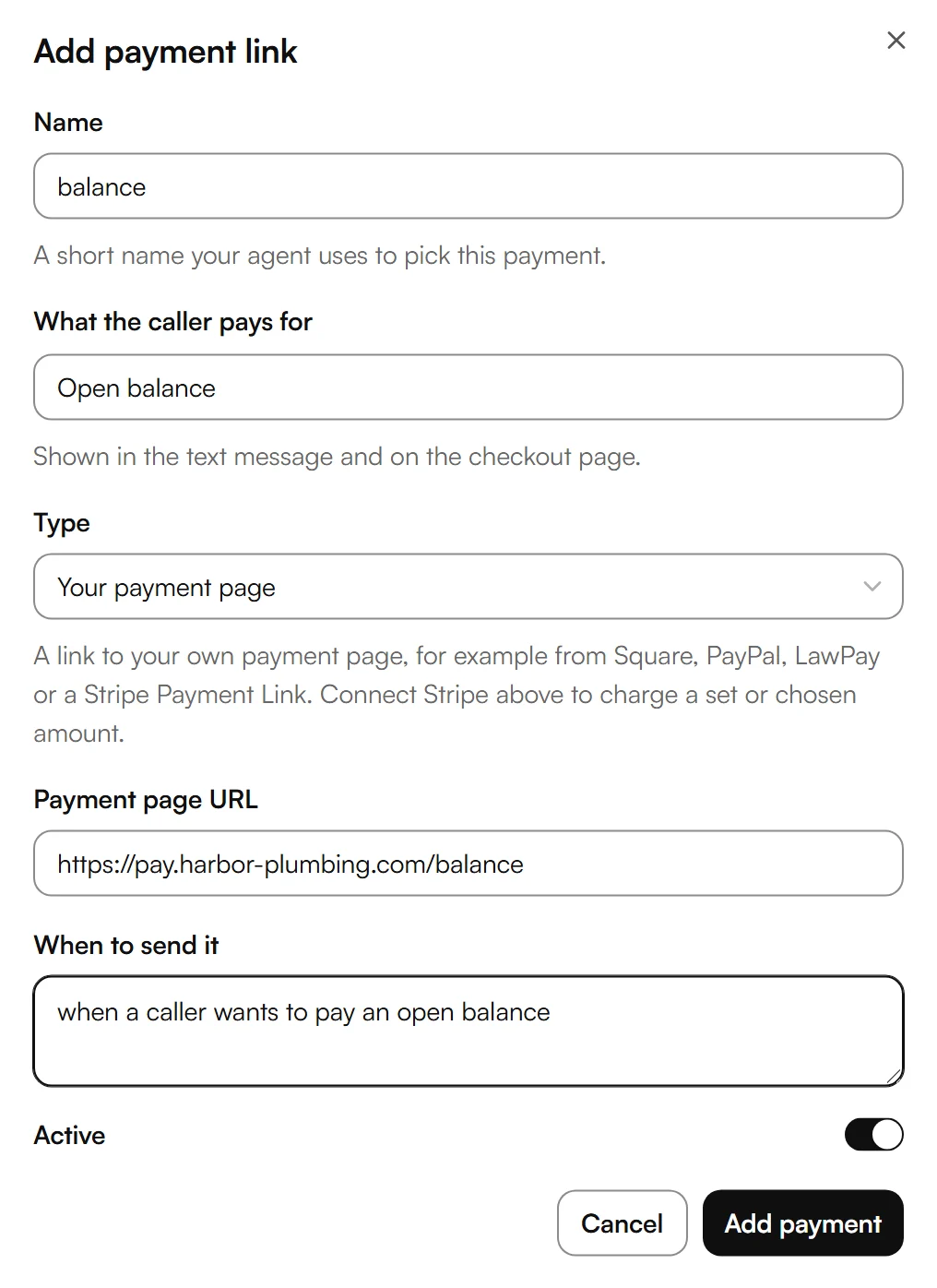
Enter a Name and what the caller pays for, keep the type Your payment page and paste the address under Payment page URL. Describe when to send it and choose Add payment.
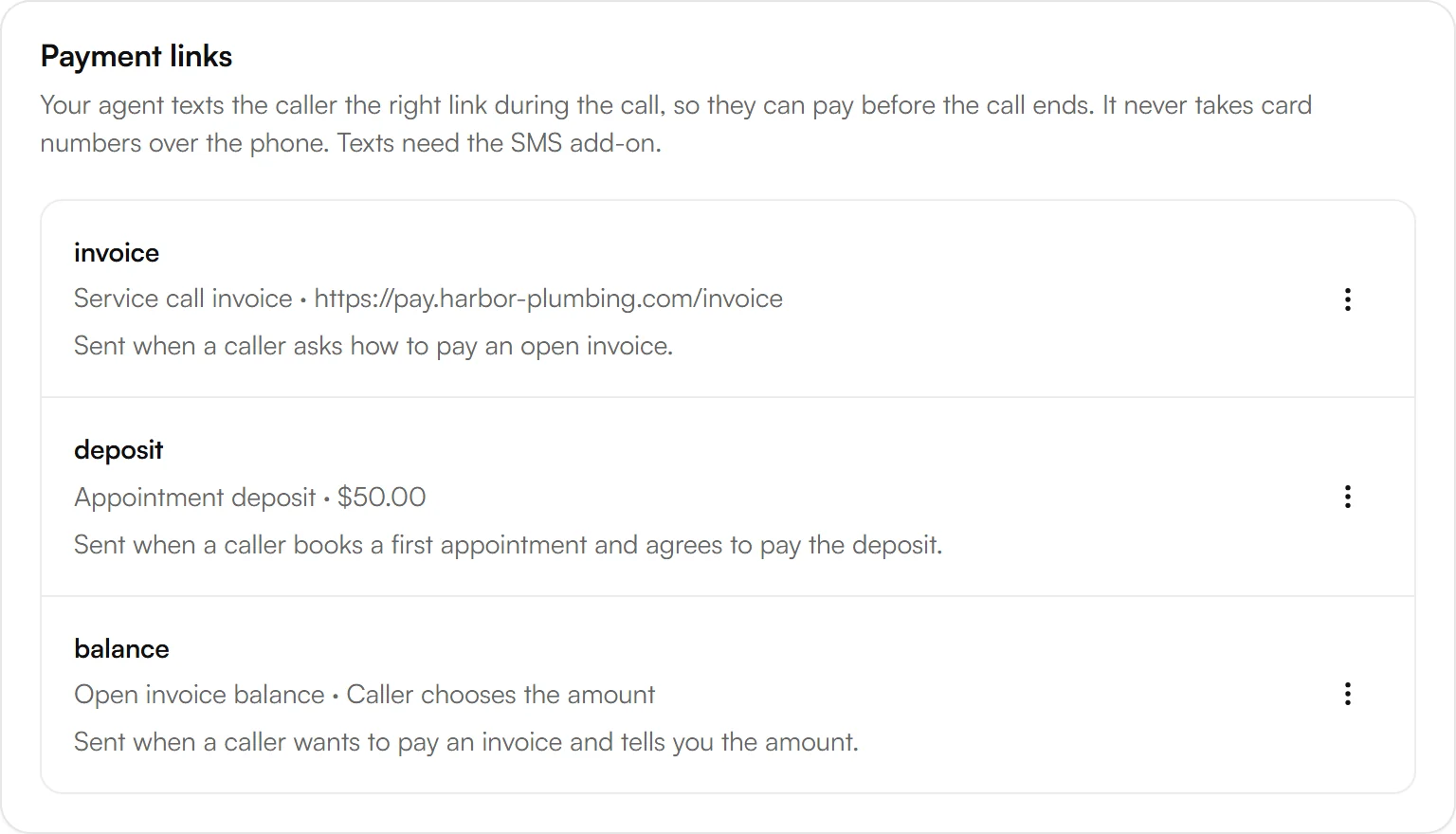
The link appears under Payment links, with what the caller pays for and when your agent sends it.
No account connection is needed. Kesru only sends the address you enter, and the payment stays with your provider.
Settings for each link
- Name: a short name your agent uses to pick this payment.
- What the caller pays for: shown in the text message.
- Payment page URL: the address of your payment page.
- When to send it: when your agent should offer this link, in your own words.
- Active: turn a link off without deleting it.
To change a link, open the menu next to it and choose Edit. Delete stops your agent from sending it. Calls where it was already sent still show it.
Example
A plumbing business takes invoice payments on its own payment page. It adds a link named invoice for its service call invoices and tells the agent to send it when a caller asks how to pay an open invoice.
A caller asks how to pay. The agent sends the link by text and says it is in the caller's text messages. The text reads “Pay for Service call invoice” followed by a short link to the business's payment page.
Good to know
Seeing whether the caller paid
Kesru doesn't connect to your payment provider, so links to your own payment page always show as Sent. To see in Kesru whether a caller paid, use Stripe with a fixed or chosen amount.
Without Stripe
Without Stripe, Your payment page is the only type. Once Stripe is connected, you can also add payments with a fixed amount or an amount the caller chooses.
Payment data
How Kesru handles caller numbers and the texts sent during a call is described in the Privacy Policy.
Related integrations
Questions about Square, PayPal and LawPay?
Write to us at support@kesru.com, or start free and connect Square, PayPal and LawPay in your dashboard.