
Zapier integration
After every call and website chat, Kesru sends the summary and the details your agent collected to your Zaps. From there they go on to your CRM, a spreadsheet or other apps you use.
What it does
In Zapier, Kesru starts your Zap. When a call or website chat ends and Kesru has summarized it, Kesru sends it to every Zap you've turned on, and the next steps of the Zap take it from there.
- Call Completed starts a Zap after every call of all your agents. You can limit it to incoming or outgoing calls.
- New Chat starts a Zap after every website chat.
- Under Zapier in your dashboard, Zaps shows how many Zaps are on.
Connect Zapier
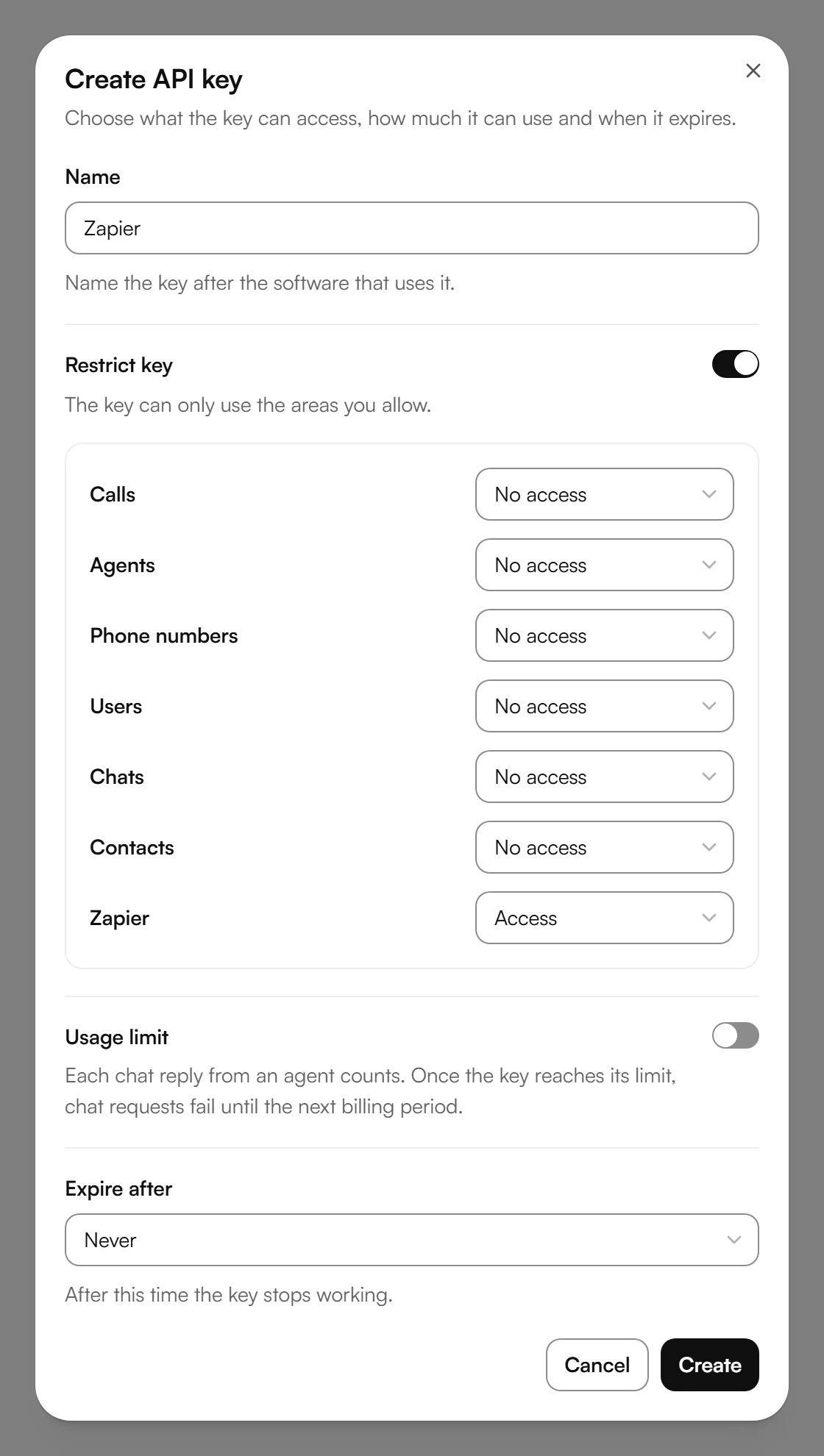
In your dashboard, open Zapier and choose API keys in the first step. Choose Create API key and name the key, for example Zapier. With Restrict key on, set Zapier to Access. Then choose Create and copy the key. Kesru shows it only once.
Back under Zapier, choose Open Kesru in Zapier. The link is your invitation to the Kesru app in Zapier.
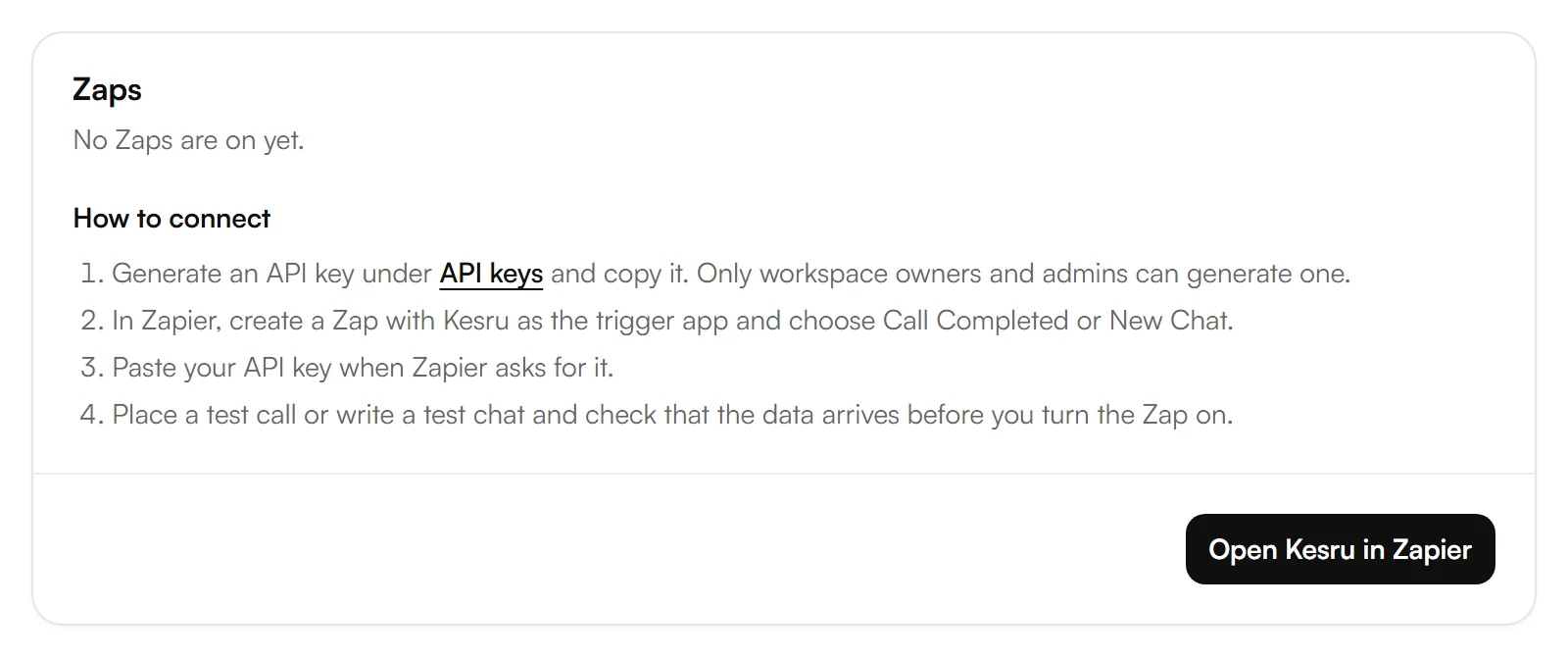
In Zapier, create a Zap with Kesru as the trigger app and choose Call Completed or New Chat.
When Zapier asks you to connect your Kesru workspace, keep the region United States (kesru.com) and paste your API key.
Place a test call or write a test chat and check that the data arrives before you turn the Zap on.
What arrives in Zapier
Call Completed
- Call ID, Direction, Start Time, End Time and Duration (Seconds).
- Customer Phone Number and Kesru Phone Number: the customer's number and your Kesru number.
- Kesru Agent Name: the agent that took or made the call.
- Call Summary and Transcript: the call in short and in full.
- Outcome and Ended Reason: whether the call was successful and how it ended.
- The details your agent collected, like the caller's name, email address and address.
New Chat
Chat ID, Kesru Agent Name, Start Time, End Time, Chat Summary, Outcome, Ended Reason, Transcript and the details your agent collected.
Example
Maria Lopez calls a plumbing business because her water heater is leaking. Its agent, Front Desk, takes the call. When the call ends, every Zap with Call Completed gets:
- Customer Phone Number: +19545550148, Duration (Seconds): 192.
- Call Summary: Maria Lopez called because her water heater is leaking. She wants a technician tomorrow morning and asked for a call back to confirm the time.
- Outcome: success, Ended Reason: user_hangup.
- The details collected: Maria Lopez, maria.lopez@example.com and 1420 SE 17th St, Fort Lauderdale, FL 33316.
The next steps of the Zap decide where this goes, such as a new contact in your CRM or a row in a spreadsheet.
Good to know
Who can connect Zapier
Owners, admins and developers can create API keys. Analysts and viewers see how many Zaps are on, but not the steps.
Turning a Zap off
When you turn a Zap off, Zapier tells Kesru, and Kesru stops sending to it.
Deleting the API key
Deleting the key under API keys blocks it right away, and the Zaps connected with it stop getting calls and chats.
If Zapier can't be reached
If Zapier doesn't answer, asks Kesru to slow down or has a server error, Kesru tries again after 2 and after 10 seconds.
Your data
What Kesru sends to automation platforms like Zapier, and who keeps copies, is described in the Privacy Notice.
Related integrations
Questions about Zapier?
Write to us at support@kesru.com, or start free and connect Zapier in your dashboard.