Claude Code integration
Work with your Kesru agents, calls and tests from Claude Code in your terminal.
What it does
Claude Code connects to Kesru's MCP server and signs in with your Kesru login, so you don't need an API key. Then you can ask Claude Code about your calls and agents in plain language and have it change an agent for you.
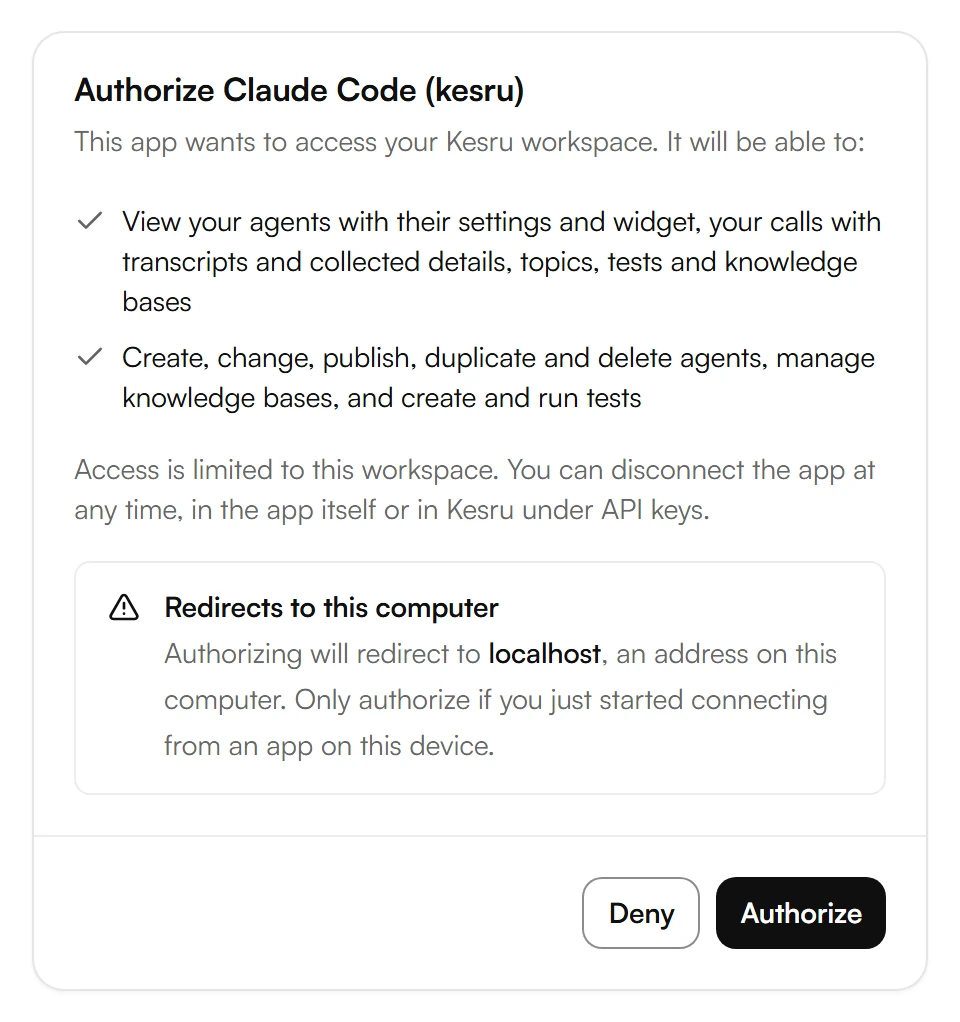
- Read: your agents with their settings and widget, your calls with transcripts and collected details, topics, tests and knowledge bases.
- Change: create, change, publish, duplicate and delete agents, manage knowledge bases, and create and run tests.
- A change goes live at once as a new published version of the agent. If you ask, it stays in the agent's draft until you publish it.
Connect Claude Code
In your Kesru dashboard, open Billing and choose API keys. Under Connect AI assistants (MCP), copy the command under Claude Code. It already contains the server URL.
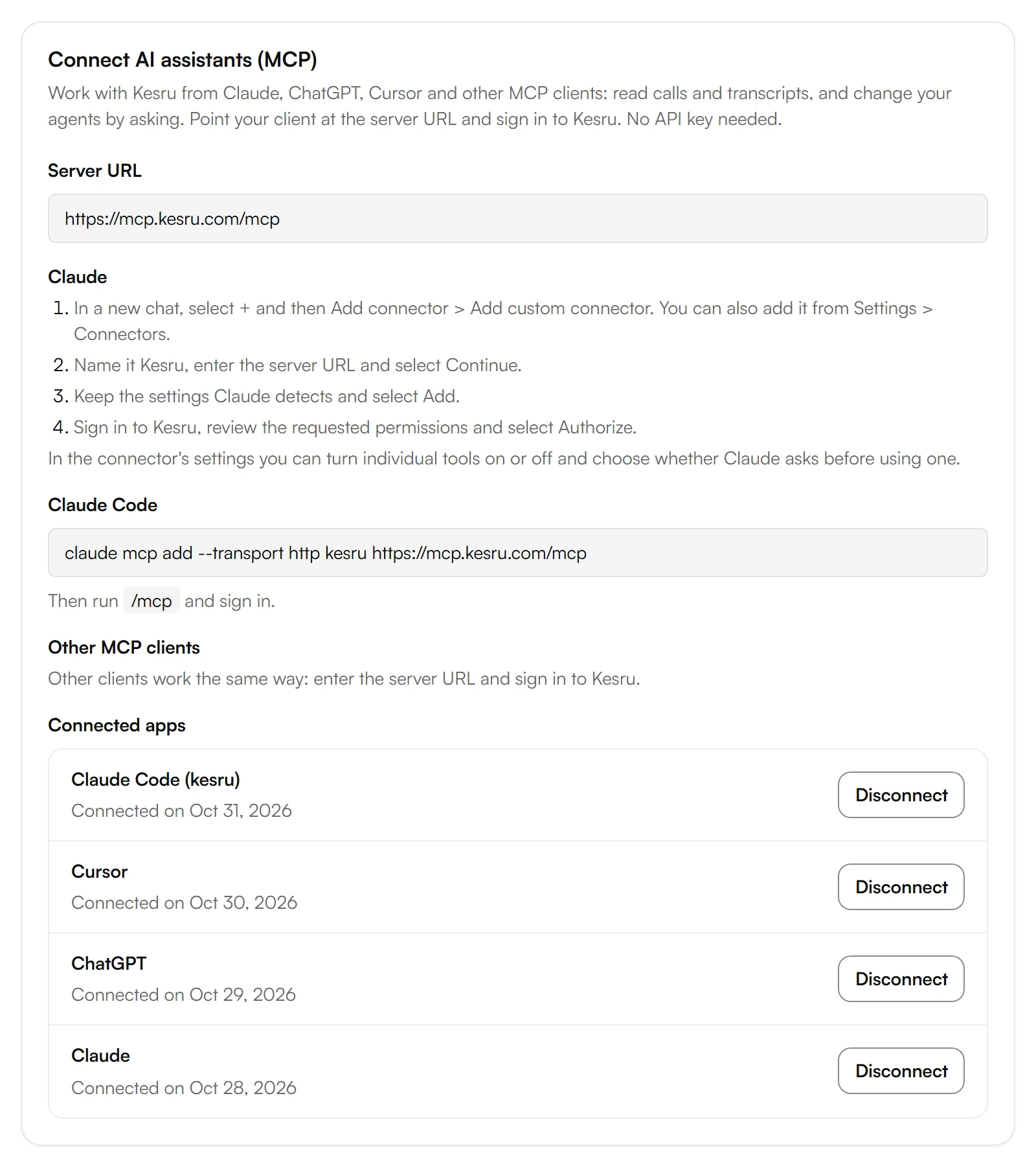
Run the command in your terminal.
In Claude Code, run /mcp and sign in.
Sign in to Kesru, review the requested permissions and select Authorize.
Back on API keys, Claude Code now shows under Connected apps.
Kesru's tools
The app picks the tool that fits your request. Kesru marks the tools that only read as read-only and the tools that delete as destructive.
- Workspace and agents: get_account_overview, list_agents, get_agent, compare_agents, create_agent, update_agent, publish_agent_draft, duplicate_agent, delete_agent and get_widget.
- Calls: list_calls, get_call, search_calls and list_topics.
- Knowledge bases: list_knowledge_bases, create_knowledge_base, update_knowledge_base, delete_knowledge_base, add_knowledge_source and delete_knowledge_source.
- Tests: list_tests, create_test, update_test, delete_test, run_tests, list_test_runs and get_test_run.
Example
A developer at Miller Plumbing wants the agent to always ask for the caller's address. Claude Code reads the agent's settings, changes them and keeps the change in the draft.
Then Claude Code creates a test that checks for the address question and runs it against the draft. The test run shows every conversation with its transcript and the result per criterion. Once the test passes, Claude Code publishes the draft.
Good to know
Only owners and admins can connect
Anyone on your team can reach the sign-in, but only owners and admins can authorize an app. Everyone else sees that only workspace owners and admins can connect AI assistants.
Kesru shows Redirects to this computer
If the sign-in returns to an address on your computer, Kesru warns you before you authorize. Authorize only if you just started connecting from Claude Code on this device.
A tool says the app lacks a permission
Claude Code was connected without that permission. Connect it again and allow it.
Seeing what Claude Code changed
Each change shows in Security > Audit log, with AI assistant and the app's name as the application, and its IP address.
Disconnecting Claude Code
Select Disconnect next to Claude Code under Connected apps, or disconnect Kesru in Claude Code itself. Claude Code can then no longer read or change anything in your workspace.
Your data
How Kesru handles your data is described in the Privacy Policy.
Related integrations
Questions about Claude Code?
Write to us at support@kesru.com, or start free and connect Claude Code with the command from your dashboard.