Set up appointment types
Appointment types are what callers can book, such as a 30-minute estimate. Your agent asks which one the caller needs and offers open times for it.
Add an appointment type
In your dashboard, open Calendar and choose Settings, or Connect calendar if no calendar is connected yet.
Choose Add appointment type.
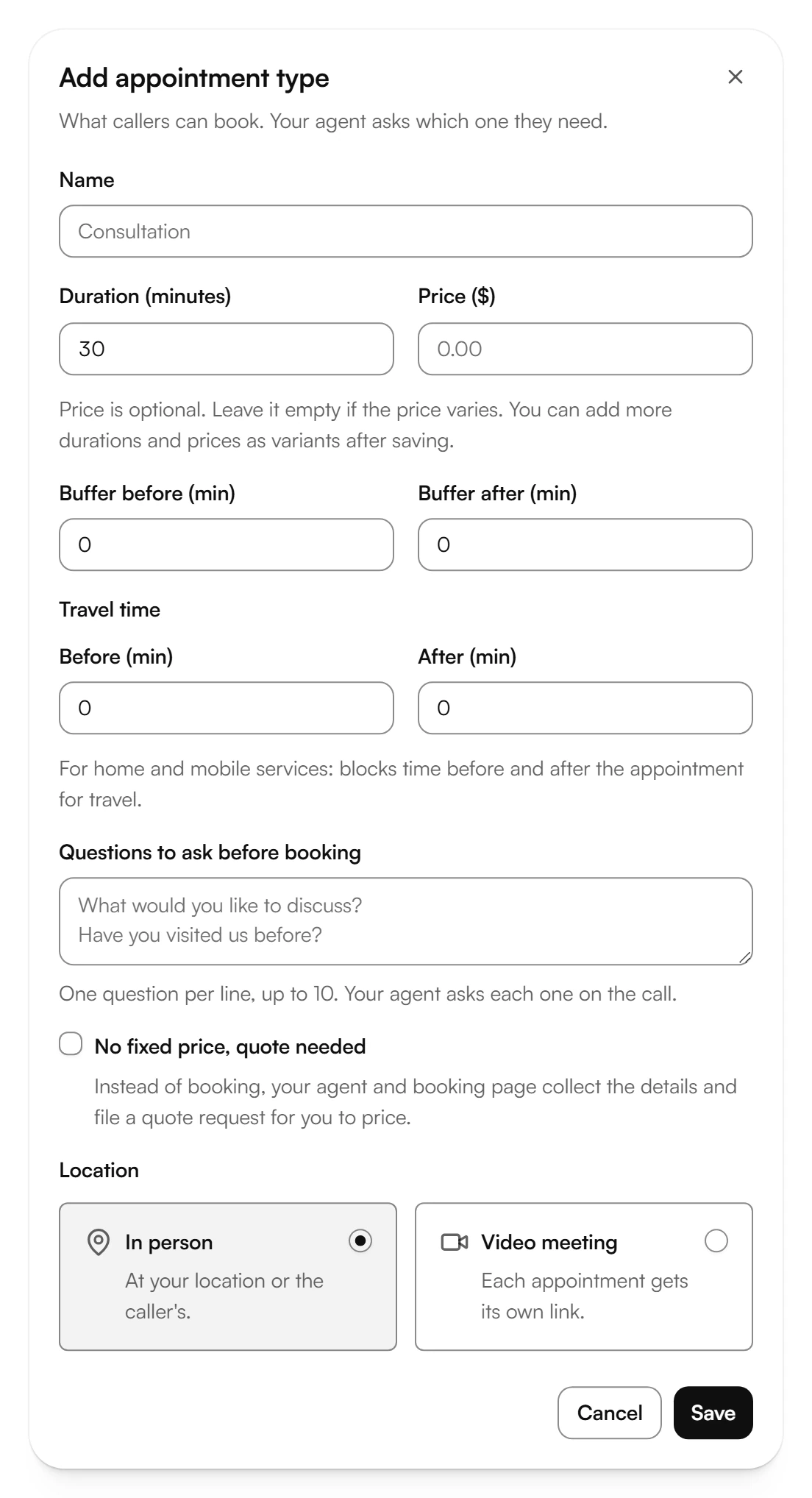
Enter the Name and the Duration (minutes). Add a Price ($) if it's fixed, or leave it empty if it varies.
Under Location, choose In person, at your place or the caller's, or Video meeting, where each appointment gets its own link.
Choose Save. After saving, you can add more durations and prices as variants.
More options
- Buffer before (min) and Buffer after (min): time kept free before and after each appointment.
- Travel time: for work at the caller's place, blocks time before and after the appointment for the drive.
- Questions to ask before booking: one question per line, up to 10. Your agent asks each one on the call.
- No fixed price, quote needed: instead of booking, your agent takes down the details and sends you a quote request. You set the price.
Related articles
Still have questions?
Write to us at support@kesru.com.