Usage, overage and calls at once
See how many minutes you've used, choose what happens when your included minutes run out, and limit how many calls Kesru takes at once.
See your usage
Usage in Billing covers your current billing period, or your free trial. Calls and Human-first calls show minutes, Website chat the chats on your website and SMS the text messages sent. Total shows the minutes of all calls against the minutes in your plan, because only calls count toward them.
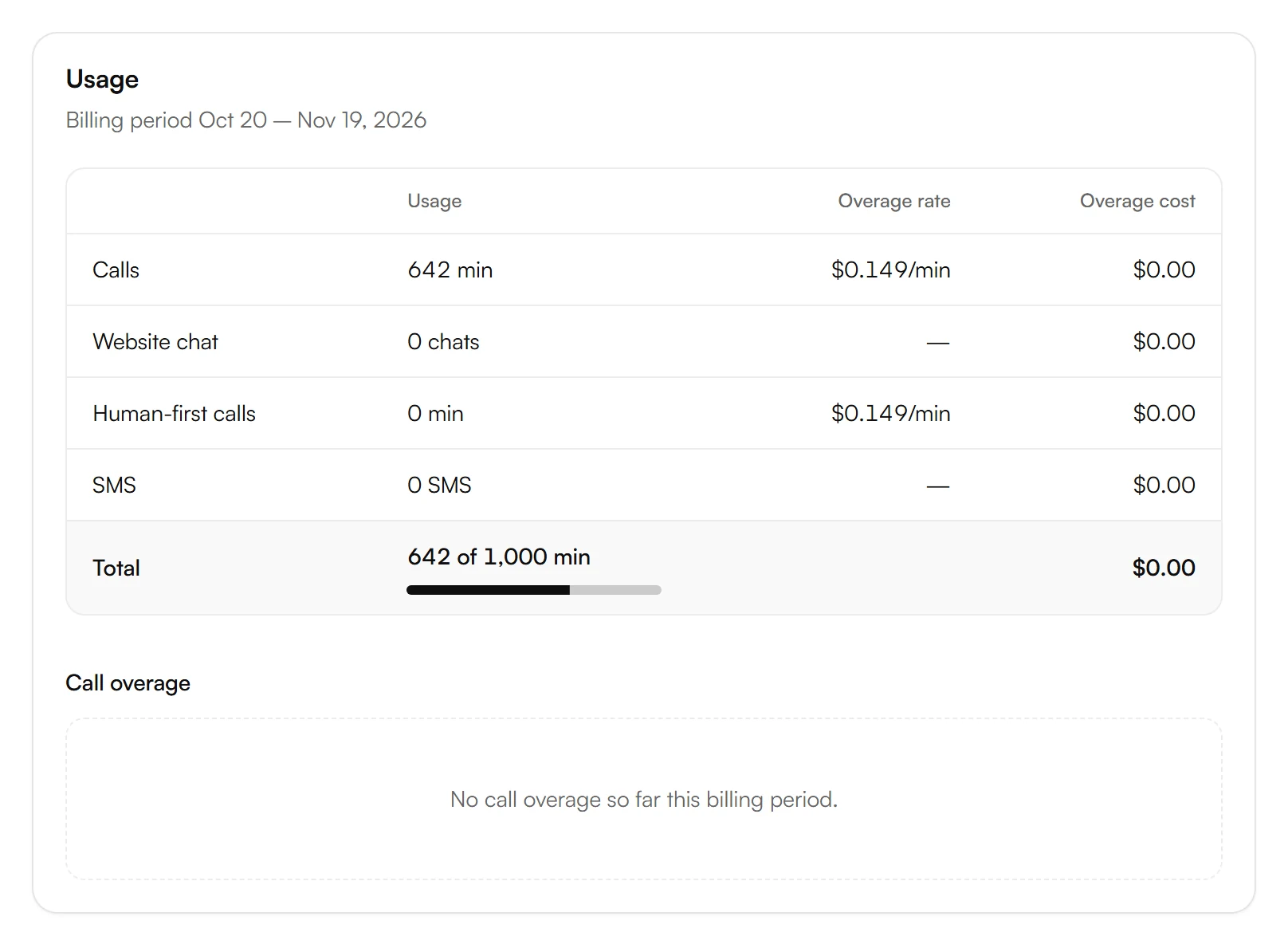
If you use more than your plan includes, Overage rate shows the price per extra minute or text message and Overage cost what you owe for it so far. Call overage shows that cost per day or week. Amounts don't include tax.
When your minutes run out
In your dashboard, open Billing and turn Overage on or off.

- On: Kesru keeps answering after your included minutes run out. Kesru bills extra minutes at the Overage rate shown under Usage.
- Off: Kesru stops answering calls once your included minutes are used up, until your next billing period starts.
During the free trial, there's no overage.
Calls at once
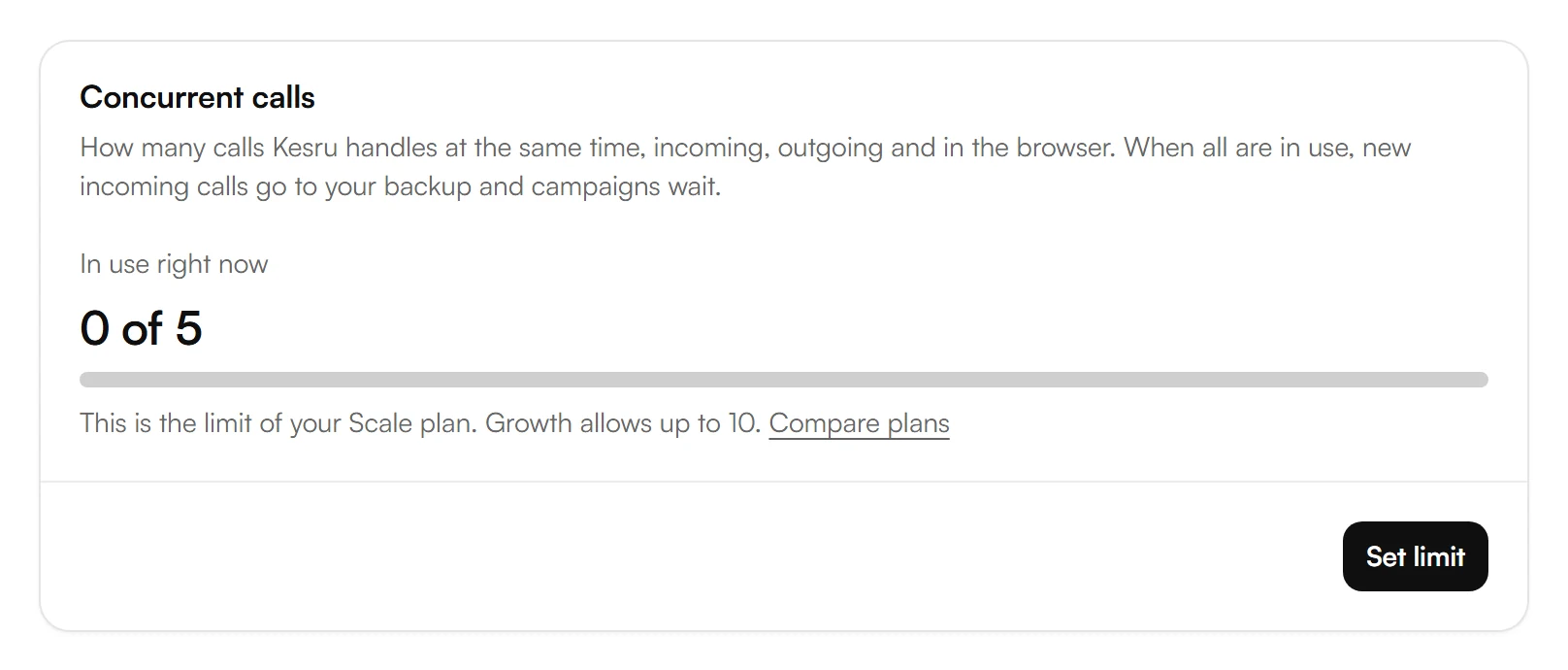
Concurrent calls shows how many calls Kesru handles at the same time, incoming, outgoing and in your browser. Your plan sets the limit. During your free trial, the limit of the largest plan applies. When all are in use, Kesru doesn't answer new incoming calls, and campaigns wait.
To set a lower limit, choose Set limit under Concurrent calls.
Choose Custom limit, type how many Calls at once you allow and choose Save. Plan limit brings back the limit of your plan.
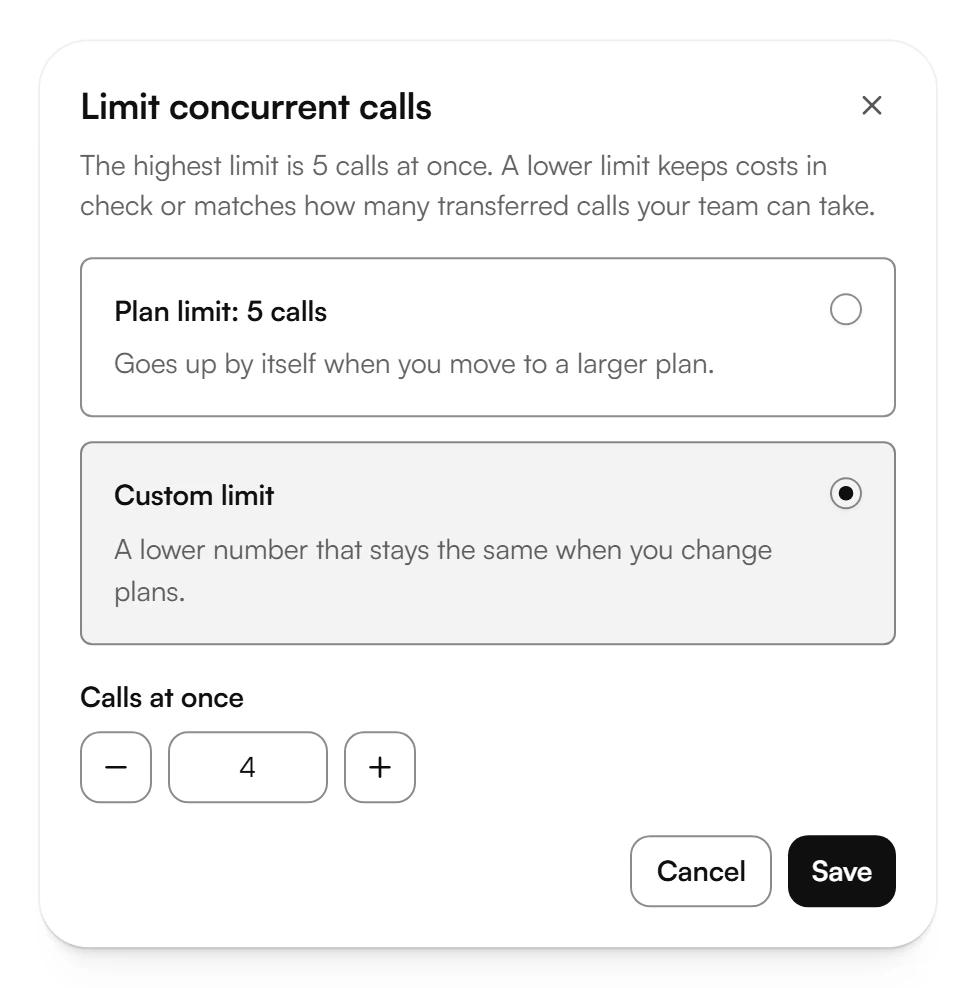
Owners, admins and developers can set the limit. For more calls at once, choose a bigger plan.
Related articles
Still have questions?
Write to us at support@kesru.com.