Send calls to your other tools
When a call or website chat ends, Kesru can send the summary and the details it collected on to Zapier, n8n or your own system.
Choose a way
- Zapier: from there to your CRM, a spreadsheet, Slack or thousands of other apps. Zapier signs in to Kesru with an API key.
- n8n or your own system: Kesru sends a webhook to the URL you add to your agent, signed with your workspace's signing secret.
What to do in Zapier or n8n and what arrives there is on their pages under Integrations.
Connect Zapier
In your dashboard, open Zapier and choose API keys in the first step. You also find API keys under Billing.
Choose Create API key and name the key, for example Zapier. Restrict key is on, so set Zapier to Access. Then choose Create.
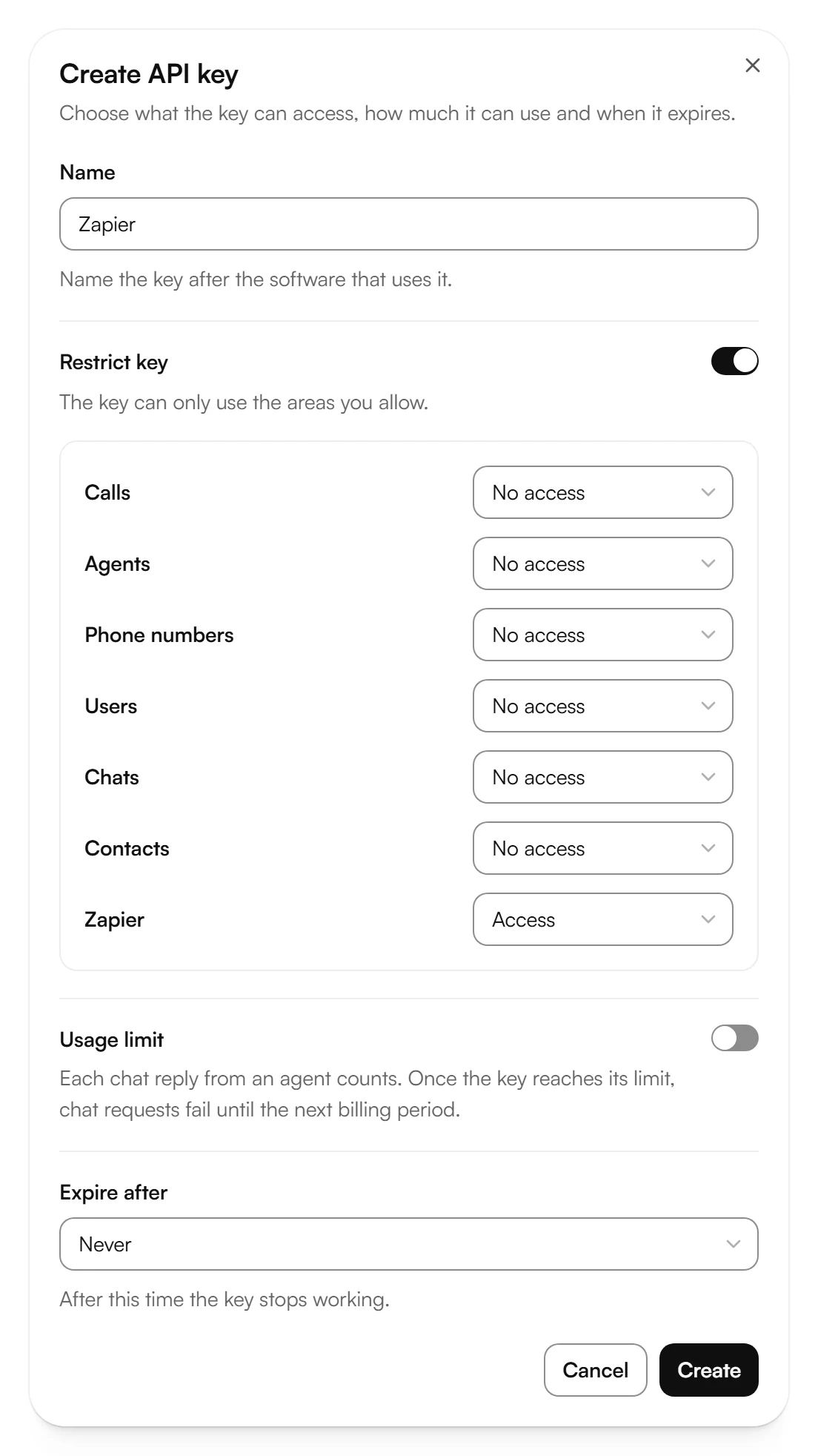
Copy your API key now. Kesru shows it only once. Then choose Done.
Back under Zapier, choose Open Kesru in Zapier. In Zapier, create a Zap with Kesru as the trigger app and paste your API key when Zapier asks for it.
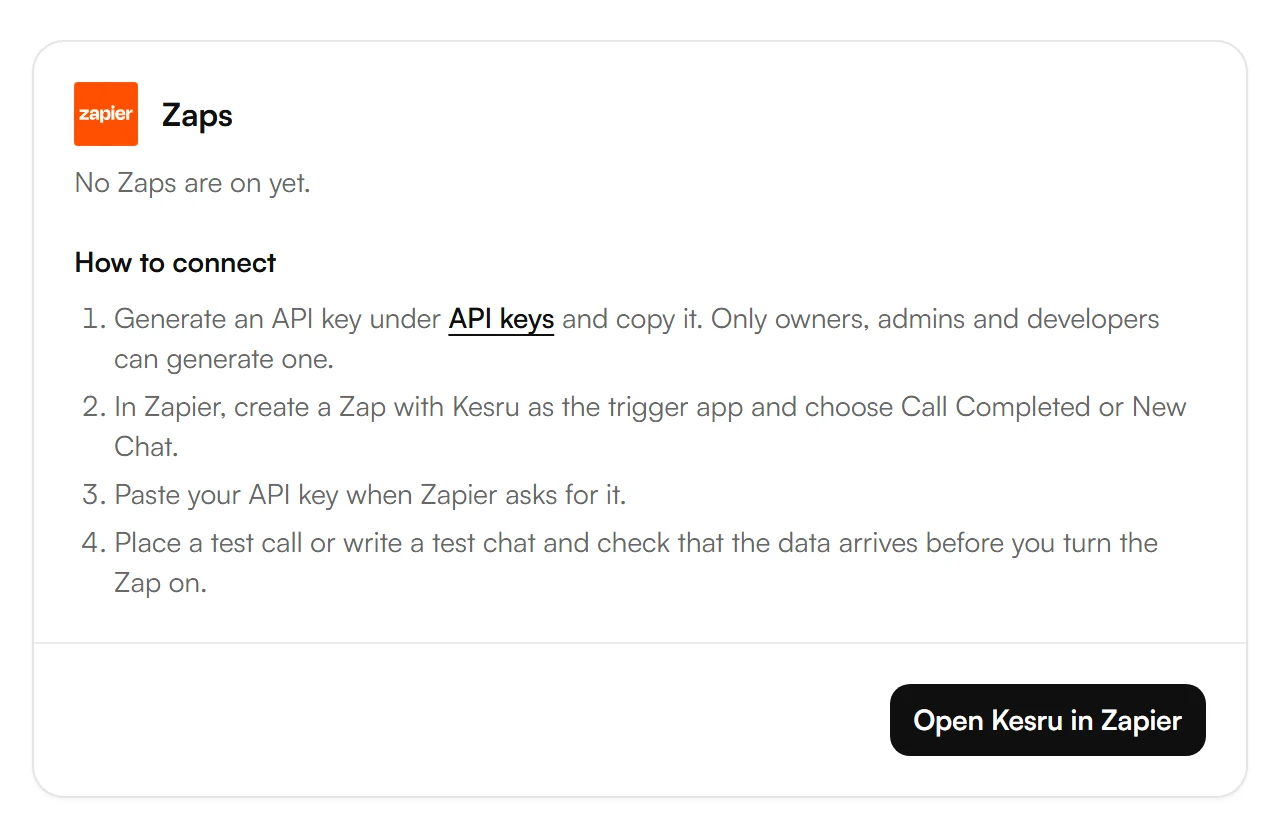
Under Zaps, the page shows how many of your Zaps are on. If you don't see Create API key, ask an owner, admin or developer of your workspace.
Send calls to n8n or your own system
Copy the URL that should get the data, in n8n the production URL of your Webhook node.
In your dashboard, open Agents, choose your agent and open the Advanced tab. Paste the URL under Webhook URL and choose Save.
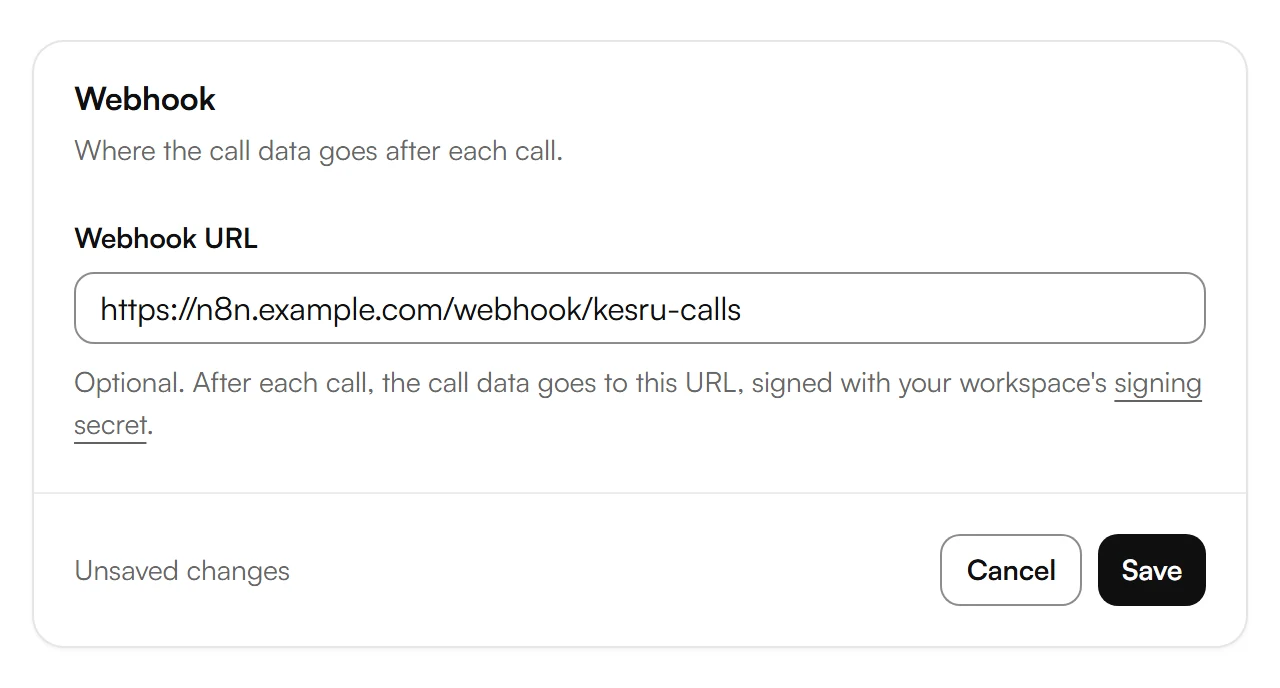
Choose Publish. Calls use the published version of your agent.
Every agent gets its own webhook URL. Kesru sends the data there after each call and website chat.
Check that a webhook comes from Kesru
Choose signing secret under Webhook URL. This opens Webhooks.
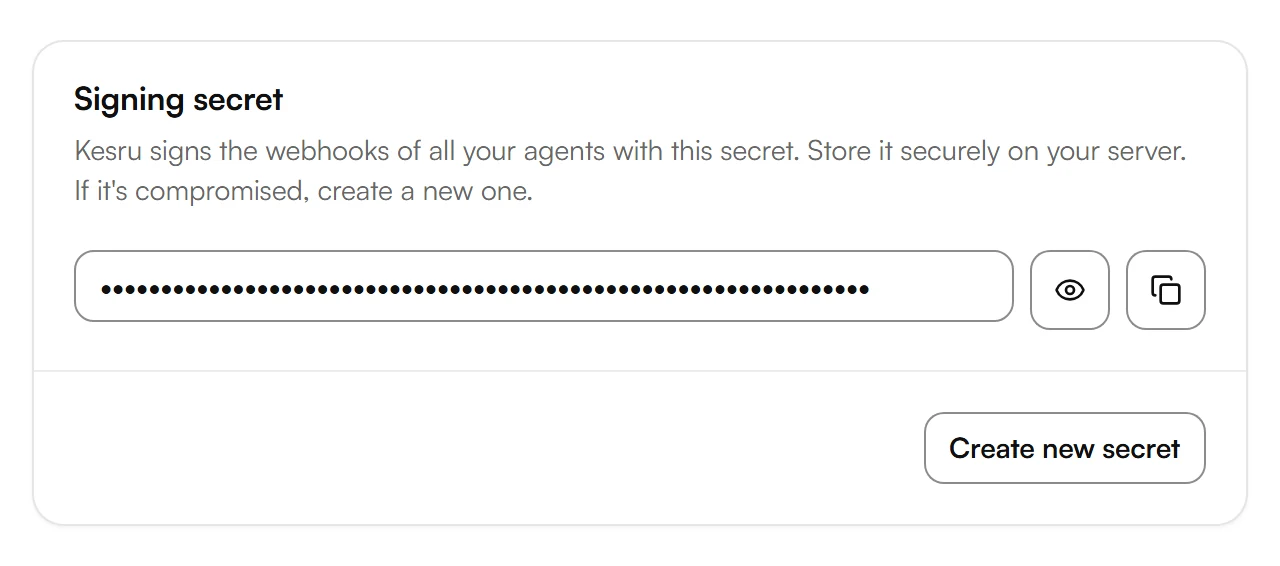
Copy the secret under Signing secret and store it securely on your server. Under Verify a webhook, the page shows how your server checks each request with it.
- Kesru signs the webhooks of all your agents with this one secret. Only owners, admins and developers can see it.
- If the secret is compromised, choose Create new secret. The current secret stops working right away, so update it on your server.
- Under Logs, Webhook deliveries lists every webhook Kesru sent to your agents' webhook URLs, with its status.
Related articles
Still have questions?
Write to us at support@kesru.com.