Connect your CRM
After every call, Kesru finds the caller in your CRM by phone number and logs the call with its summary on their record.
What Kesru logs
- Callers in your CRM: Kesru logs the call with its summary on their record.
- New callers: Kesru adds them as contacts, unless a filter stops it.
- Names: Kesru fills in a missing name but never overwrites what you already have.
You can connect one CRM per workspace.
Connect your CRM
In your dashboard, open CRM. Under Connection you see the CRMs Kesru can connect to.
Choose Connect next to your CRM. If a window opens first, fill it in.
Sign in to your CRM and allow Kesru to log your calls there. You come back to your dashboard, and your CRM shows Connected.
What to do in each CRM is on its page under Integrations.
If CRM shows No CRM available yet, Kesru can't connect to a CRM directly yet. Until then, Zapier or a webhook can send every call to your CRM, as described in Send calls to your other tools.
Choose which new callers become contacts
In CRM, choose Settings next to your CRM. This opens New contact filters.
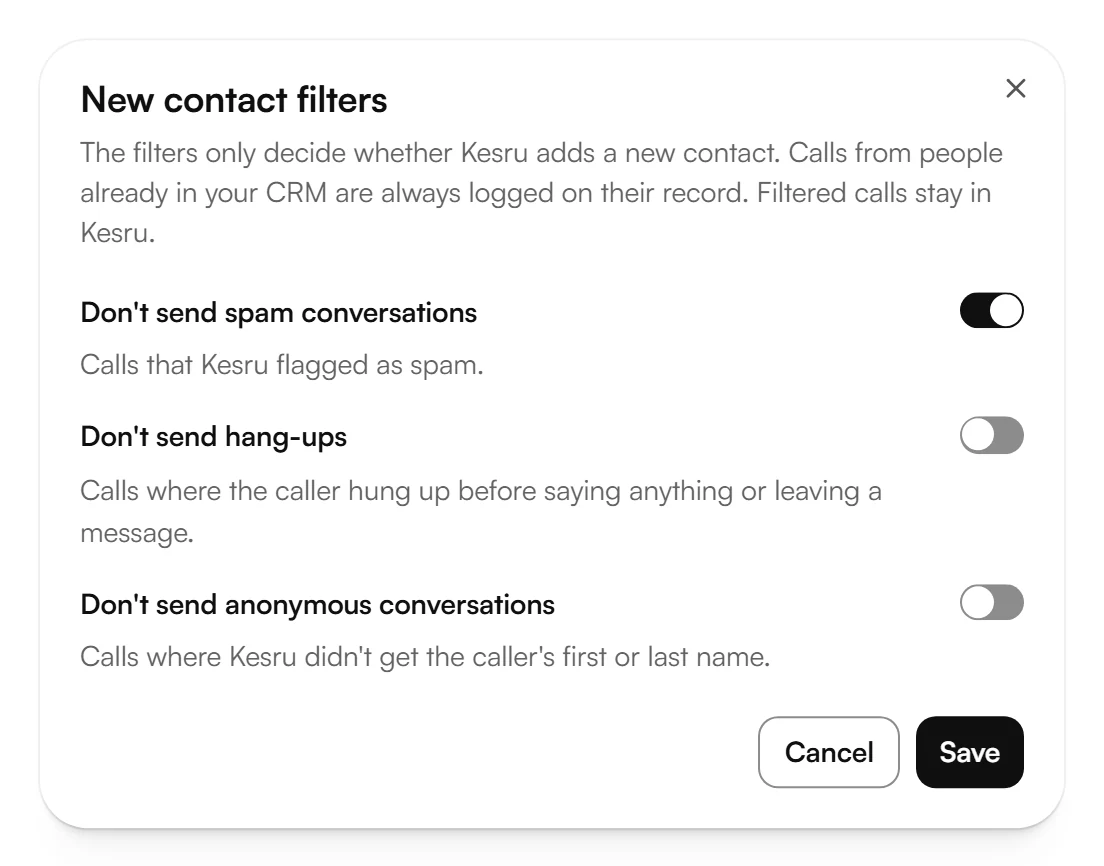
Turn on the filters you want and choose Save.
- Don't send spam conversations: calls that Kesru flagged as spam. This filter is on until you turn it off.
- Don't send hang-ups: calls that ended before the caller said anything or left a message.
- Don't send anonymous conversations: calls where Kesru didn't get the caller's first or last name.
The filters only decide whether Kesru adds a new contact. Calls from people already in your CRM are always logged on their record. Filtered calls stay in Kesru.
Sync your contacts
With some CRMs, Contact sync keeps your contacts in Kesru and in your CRM the same both ways, matched by phone number.
In CRM, choose Set up contact sync under Contact sync.
Turn on Contact sync. On the tabs Import contacts and Sync to your CRM, choose which field in your CRM goes with which contact field in Kesru. Kesru maps the phone number itself.
Choose Save. Turning contact sync on imports all contacts from your CRM.
- A field Kesru doesn't have yet needs a contact field first, under Manage contact fields.
- When a mapped field changes in Kesru, by hand or after a call, Kesru writes it to the matching record in your CRM. Kesru only updates records it imported from there. It never creates or deletes CRM records and never writes the phone number.
- While contact sync is on, contacts from your CRM can't be removed in Kesru.
Reconnect or disconnect
If your CRM shows Needs reconnecting, Kesru logs no calls there until you choose Reconnect and sign in again. Disconnect stops Kesru from logging your calls in this CRM. What's already in your CRM stays. To switch to another CRM, disconnect the current one first.
Related articles
Still have questions?
Write to us at support@kesru.com.