Work through your inbox
Your inbox holds the messages and callback requests your agent took. Mark each one done once you've handled it.
Checked
Open your inbox
In your dashboard, open Inbox. The menu shows how many messages are unread and whether one is urgent.
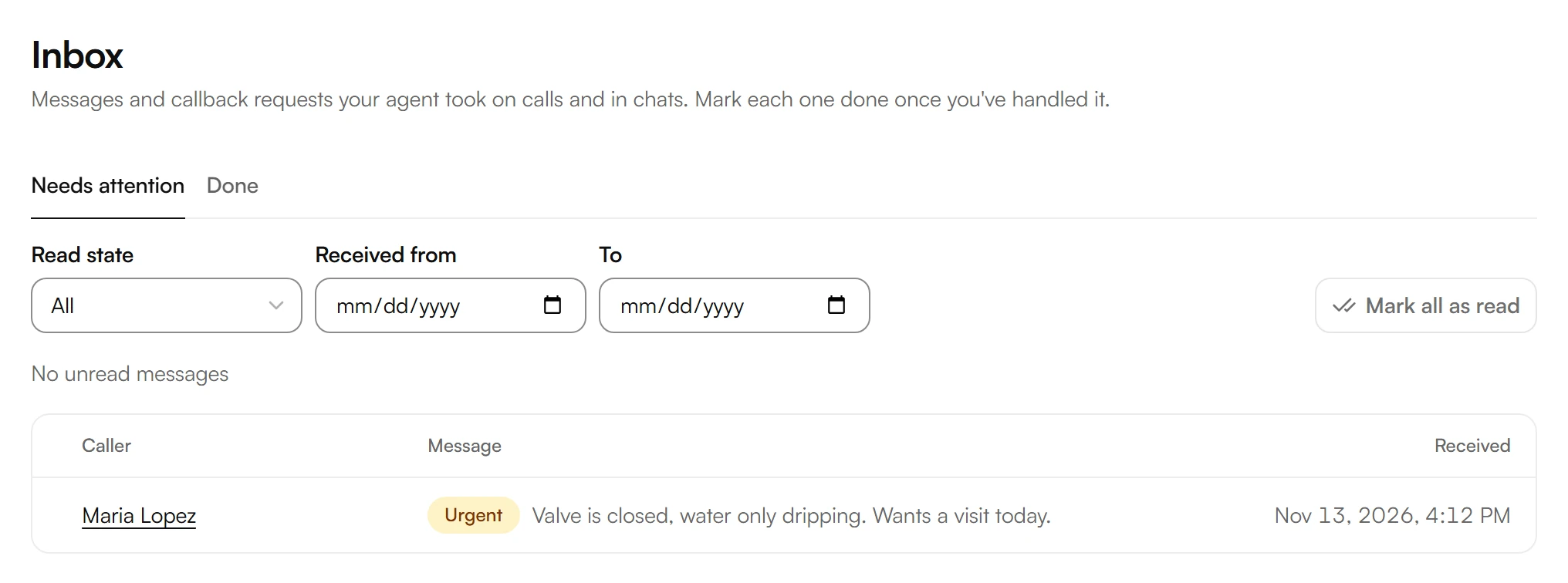
Needs attention lists what is still open, Done what you've handled. To filter, use Read state, Received from and To.
To mark every message as read at once, choose Mark all as read.
Each message shows its priority: Emergency, Urgent or Normal. Missed transfer means your agent tried to transfer the call and nobody answered.
Handle a message
Choose a message. You see the caller's words, the handover note and the details your agent took.
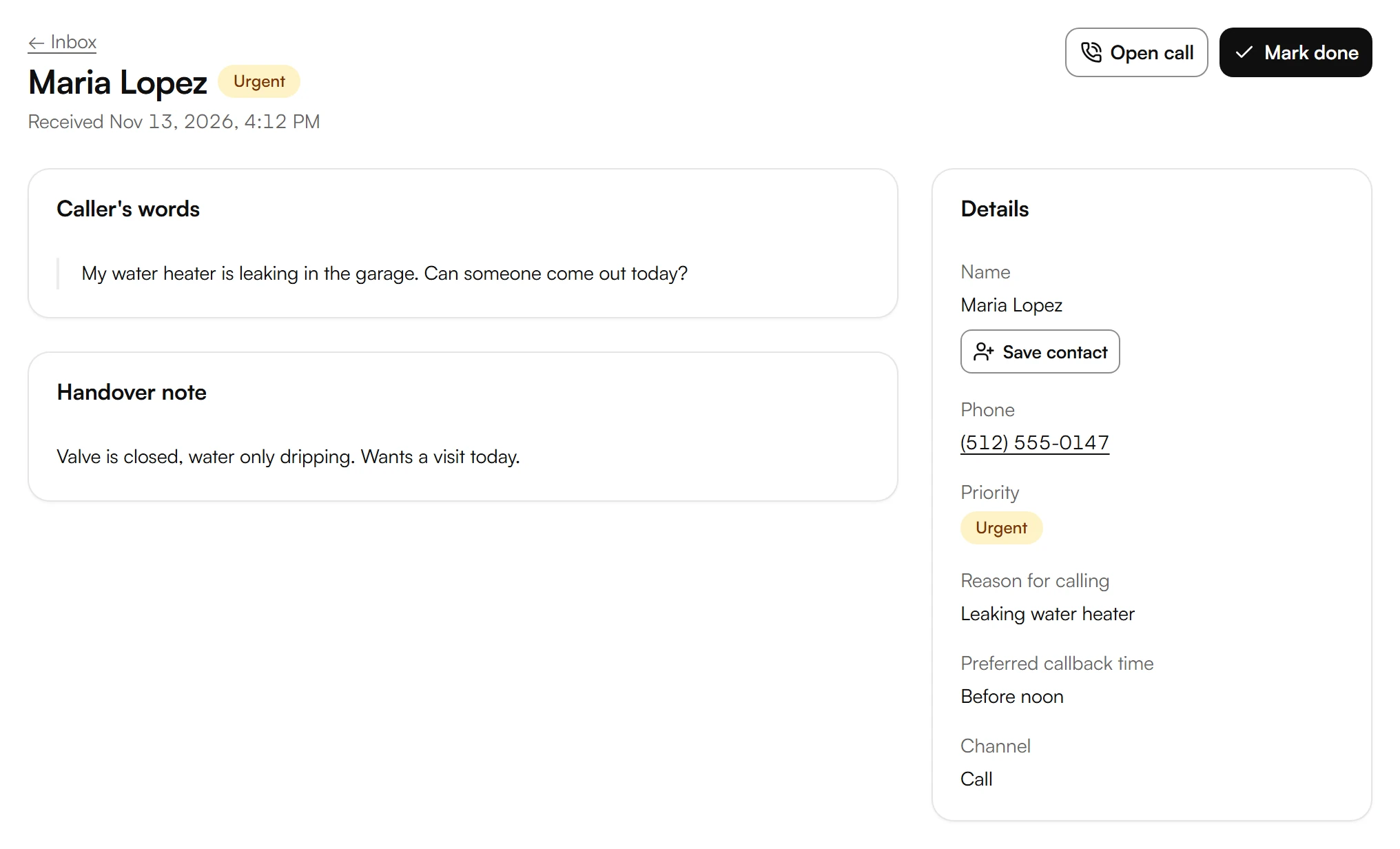
To hear or read the whole call, choose Open call.
To keep the caller in your contacts, choose Save contact.
Once you've handled it, choose Mark done. To open it again, choose Reopen.
Was this helpful?
Related articles
Still have questions?
Write to us at support@kesru.com.