Get notified about calls
Choose who gets an email after a call, for inbound and outbound calls.
Checked
Set up call summaries
In your dashboard, open More and choose Notifications.
Under Call summaries, choose for each person which Calls they hear about: Inbound, Outbound or both.
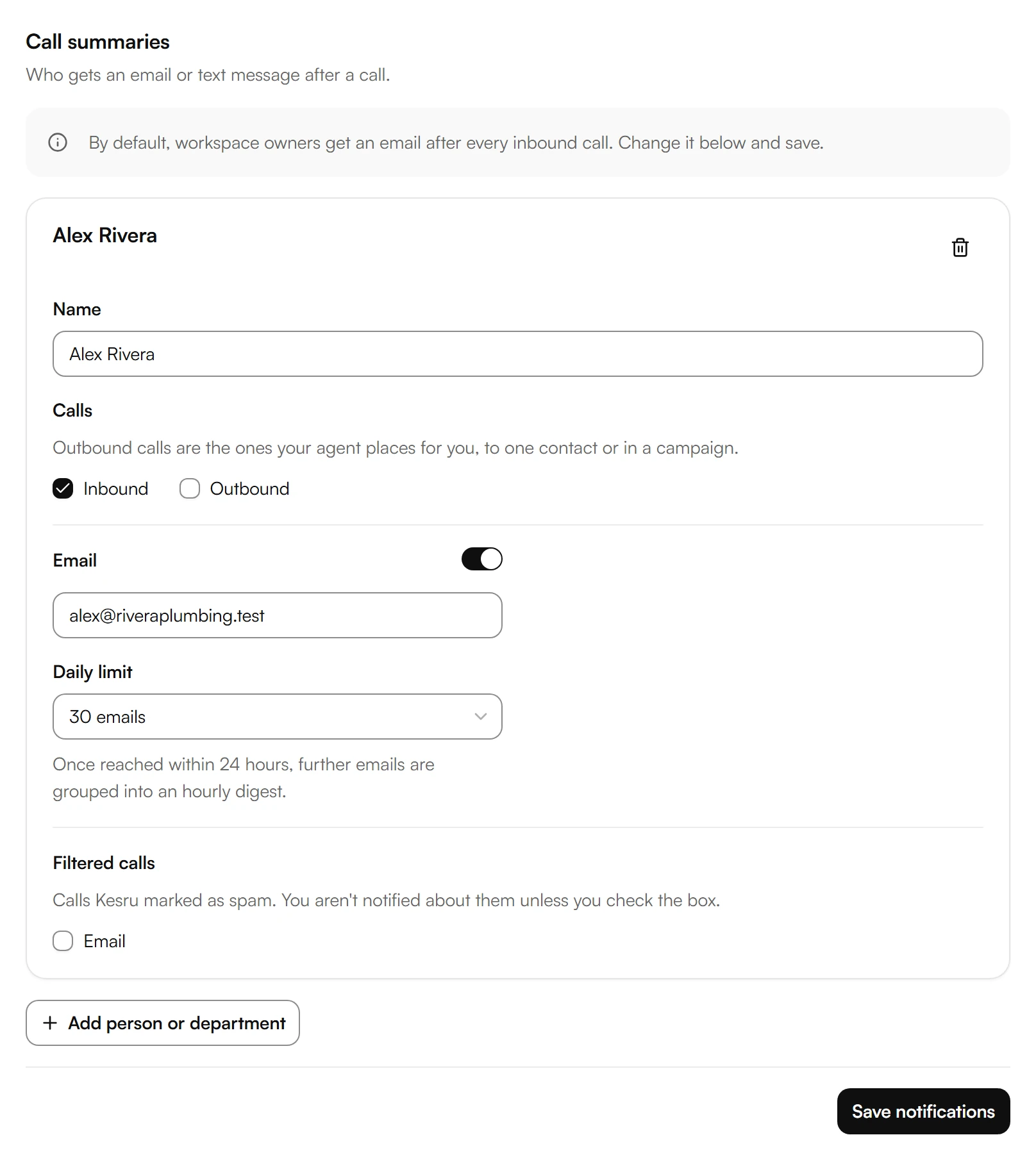
Under Email, check the address. Under Daily limit, choose how many emails a day are enough. Once it is reached within 24 hours, further emails are grouped into an hourly digest.
Calls Kesru marked as spam send no email. To hear about them anyway, check Email under Filtered calls.
To add someone, such as a colleague or a department, choose Add person or department.
Choose Save notifications.
If your notifications offer Text message, enter a Mobile number to get a text after a call.
Was this helpful?
Related articles
Still have questions?
Write to us at support@kesru.com.